
My Farms lists every exclusive community seat you hold. It is not a wallet-only page—the wallet is for balance and top-up; the farm list is where you operate territories: open the pipeline, adjust settings, turn email on, enable or disable auto-nurture, or cancel renewal.
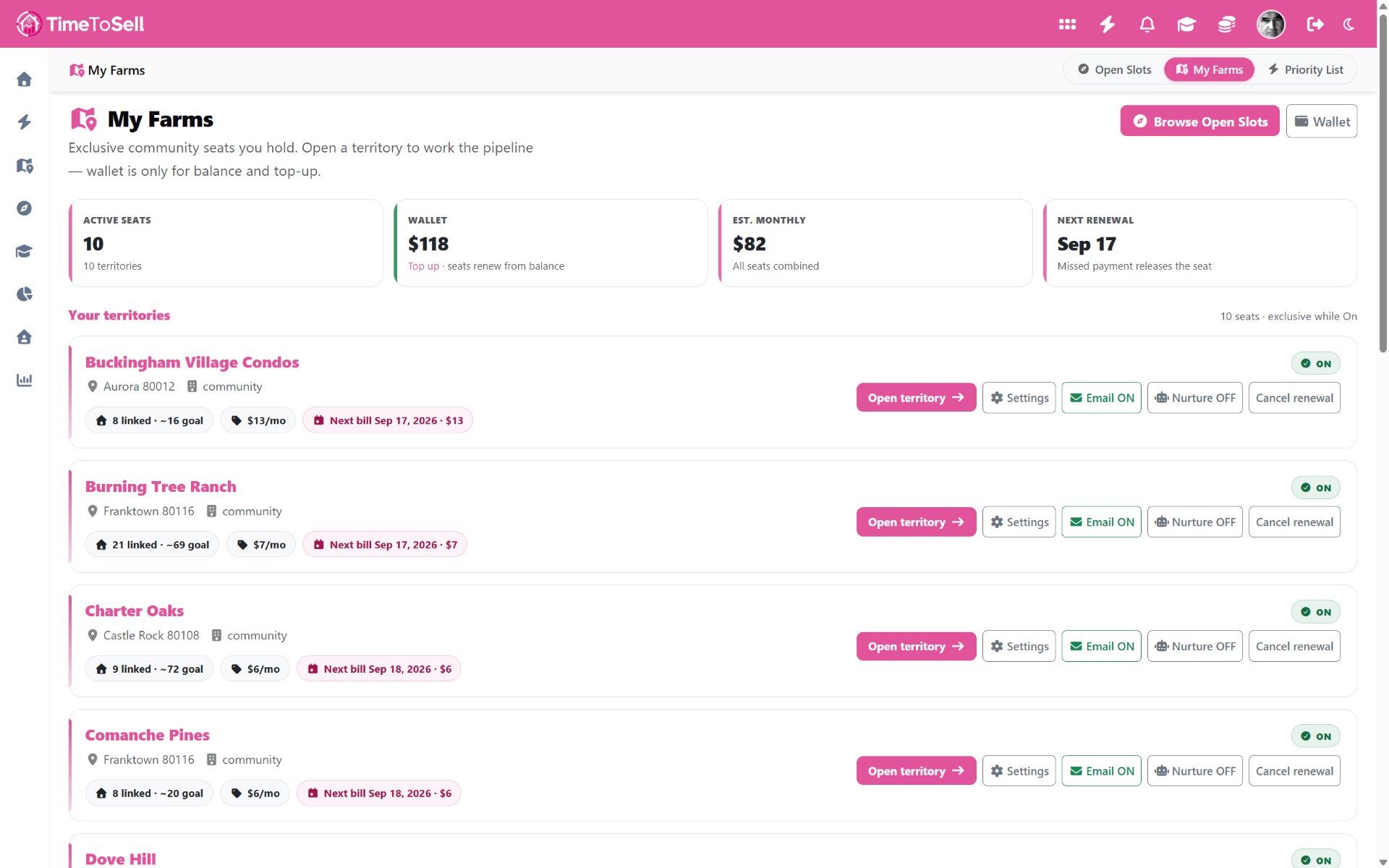
What you see at a glance
- Active seats — how many territories you currently own.
- Wallet — balance used when seats renew.
- Estimated monthly — combined cost of all seats.
- Next renewal — missing payment can release the seat.
Each row shows the community name, location, linked vs goal property counts, monthly rate, and next bill date. Status stays ON while the seat is active.
Controls that matter for agents
- Open territory — enter the pipeline for that community.
- Settings — farm-level options including outreach consent where required.
- Email ON/OFF — control farm-level email path.
- Nurture ON/OFF — background sequences when authorized, signed as you.
- Cancel renewal — stop the seat at period end per Territory Farm terms.
Billing discipline
Seats renew on an anniversary cycle from the day you subscribe. Keep the wallet funded so automatic renewal does not fail; a missed payment can release the community back to Open Slots for another agent. Cancel renewal when you intentionally exit a neighborhood—do not let a forgotten card become a surprise release of a farm you still wanted.
How this connects to daily work
Claiming happens in Open Slots. Ownership and billing live on My Farms. Ranking and calls live on the Priority List, which only includes owners in territories you hold. That exclusivity is the product: if you do not hold the seat, you do not work that community’s Priority List.
Scale by adding seats when volume rates make sense; keep wallet funded ahead of renewal dates. For the big picture, start with Territory Farms explained. For the call-first day plan, see From seat to owner call.